
r/battlestations has 500,000+ members who obsess over one thing: the perfect desk setup. Not just gaming rigs — home offices, WFH setups, creative studios. They photograph every cable, debate every lamp, and report back months later on whether their purchases held up. We spent weeks inside these threads, filtering out the one-week reviews and finding the upgrades that people are still recommending two and three years in. Five products rose to the top across every type of setup — minimal or maximal, budget or premium, Mac or PC. These are the ones that actually change your desk.
This guide contains affiliate links. If you buy through them, Dwelling Well may earn a small commission at no extra cost to you. Our picks come from community research, never paid placement.
The short answer
After analyzing community discussions, the top pick is the Ergotron LX Desk Monitor Arm for anyone with a monitor. BenQ ScreenBar LED Monitor Light is the top runner-up. Full breakdown, scores, and Reddit quotes below.
| Rank | Model | Best for | Reddit score |
|---|---|---|---|
| #1 | Ergotron LX Monitor Arm | Anyone with a monitor | 96/100 |
| #2 | BenQ ScreenBar | Anyone who works at night, gets eye fatigue, or wants | 93/100 |
| #3 | Cacoy Desk Mat | The single fastest aesthetic upgrade | 91/100 |
| #4 | VIVO Cable Tray | Anyone whose cables dangle visibly under the desk | 89/100 |
| #5 | Rain Design mStand | Laptop-primary setups | 94/100 |
Monitor Arm · Most Recommended Desk Upgrade, Full Stop
Ergotron LX Desk Monitor Arm

- Best forAnyone with a monitor — frees desk space, eliminates neck strain, transforms the look overnight
- StandoutGas spring holds any angle with zero drift; internal cable management hides HDMI and DisplayPort
- Watch outCosts more than off-brand arms; premium is the point — cheaper arms wobble and need constant re-tightening
▸ Read the full Reddit breakdown 2 paragraphs
Ask any of the 500,000 members of r/battlestations what single upgrade they'd make first, and the answer is almost always the same: get a monitor arm, and get the Ergotron LX. Not because it's the cheapest — it isn't — but because it's the one people stop thinking about. A gas spring mechanism holds your monitor at any angle and height with zero drift. Internal cable management means your HDMI and DisplayPort disappear entirely. And the moment you clamp it to your desk and float your monitor off the surface, you get back a full 12+ inches of usable desk space.
community consensus has been stable for years: cheaper arms from off-brand sellers feel wobbly and require constant re-tightening. The Ergotron LX moves smoothly, locks in place, and comes with a 10-year warranty. Users in r/DeskSpace and r/battlestations with two-year-old units report zero degradation. It is the last monitor arm you'll ever buy.
Desk Lighting · The Light Bar That Changed Everything
BenQ ScreenBar LED Monitor Light

- Best forAnyone who works at night, gets eye fatigue, or wants clean desk lighting without a lamp taking up space
- StandoutAsymmetric optics eliminate screen glare; adjustable 2700K–6500K color temperature, USB-powered
- Watch outClip-on design requires a monitor with a flat-top bezel; doesn’t fit very thin or curved-top screens
▸ Read the full Reddit breakdown 2 paragraphs
Before the BenQ ScreenBar, desk lighting was a constant compromise. A floor lamp is too far away. A desk lamp takes up surface space and creates glare on the monitor. Overhead lighting washes out the screen. The ScreenBar clips to the top of any monitor and uses an asymmetric optical design — light floods down onto your keyboard and desk, but none of it hits the screen. No glare. No reflections. Just even, comfortable illumination exactly where you're working.
r/battlestations users who post their setups get asked about the ScreenBar constantly — it's that visible in well-lit photos. Adjustable color temperature (2700K warm to 6500K cool) and brightness via a single touch bar on the unit. Powered by USB from your monitor's port, so no extra cable management to worry about. community threads from 2021 still cite the ScreenBar as their best desk purchase. That kind of longevity is rare.
Desk Mat · The First Upgrade Every Setup Needs
Cacoy Large PU Leather Desk Mat (40" × 16")
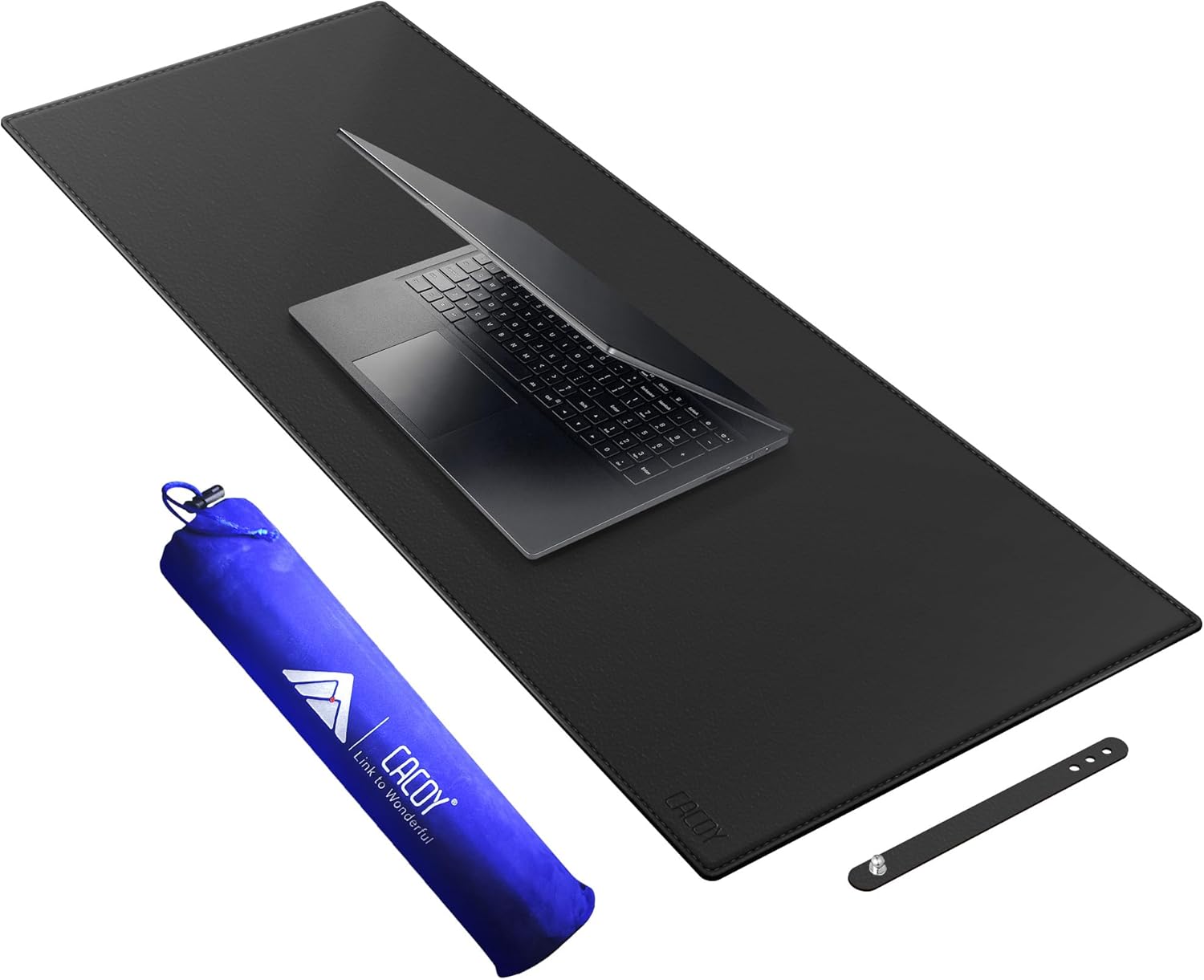
- Best forThe single fastest aesthetic upgrade — makes any desk look intentional for a modest sum
- StandoutFull-width matte PU leather sits flat without curling, wipes clean, comfortable for all-day wrist rest
- Watch outAesthetic-only upgrade — no functional improvement beyond wrist comfort and visual coherence
▸ Read the full Reddit breakdown 2 paragraphs
No single upgrade gets more "before and after" posts on r/battlestations and r/malelivingspace than a large desk mat. A bare wooden or laminate desk surface — no matter what's on it — reads as unfinished. A full-coverage mat in matte PU leather changes that instantly: the setup looks deliberate, everything on the desk gains visual weight, and the surface becomes genuinely comfortable to rest your wrists and forearms on for eight-hour days. The Cacoy 40×16" covers a full-width desk without overhang, sits flat without curling, wipes clean with a damp cloth, and arrives at a price that makes it a no-brainer impulse buy.
Reddit's r/femalelivingspace threads particularly love this one for how well it photographs — matte black anchors any aesthetic from minimal Scandinavian to warm maximalist. And unlike gaming mats with loud branding, it disappears into the setup and lets everything else be the star. Multiple users report buying a second one for their partner's desk within a week of receiving their own.
Cable Management · The Instant Clean-Desk Fix
VIVO Under-Desk Cable Management Tray

- Best forAnyone whose cables dangle visibly under the desk — takes 20 minutes and costs less than a dinner out
- StandoutMounts to desk underside via four screws; routes power strip and all loose cables out of sight
- Watch outScrew installation requires drilling; adhesive alternative not recommended for heavier cable loads
▸ Read the full Reddit breakdown 2 paragraphs
The first thing r/battlestations moderators suggest for requests like a setup photo with visible hanging cables: "Get a cable tray." Not because cables under a desk bother most people functionally, but because visible wire chaos undermines every other upgrade you've made. An expensive setup with dangling cords looks like a college dorm. The same setup with a VIVO cable tray looks like a studio.
The VIVO mounts to the underside of your desk via four screws (takes 15–20 minutes), and routes your power strip, surge protector, and all loose cables into a contained metal basket that sits flush and invisible. The 17-inch size fits a power strip plus all associated cables for a typical single-monitor setup. Drill-free adhesive mounting options exist but Reddit consistently recommends the screw installation for anything heavier than a couple of USB cables — it holds indefinitely without sagging.
Laptop Stand · Elevate Your Machine and Your Posture
Rain Design mStand Laptop Stand

- Best forLaptop-primary setups — raises the screen to eye level, frees desk real estate, and looks stunning in aluminum
- StandoutSingle-piece aluminum matches MacBook finish; 9.9° lift to eye level, integrated cable routing cutout
- Watch outMacBook-focused aesthetic — less compelling visually if you’re using a non-Apple aluminum laptop
▸ Read the full Reddit breakdown 2 paragraphs
For anyone running a MacBook (or any aluminum laptop) as their primary machine, the Rain Design mStand is what Reddit consistently lands on when the question comes up. The single-piece aluminum construction means it matches MacBook and MacBook Pro finishes almost exactly — it doesn't look like an accessory, it looks like Apple designed it. The 9.9° lift angle brings a 13" or 15" laptop screen to approximate eye level when paired with an external keyboard and mouse, which eliminates the hunched posture that comes from looking down at a laptop screen all day.
r/battlestations users who use a laptop as a secondary screen love how the mStand positions it neatly beside a primary monitor without taking up much vertical space. The base has a cutout for cable routing so your charging cable disappears cleanly beneath. community threads on this product are notably calm: people buy it, it works exactly as described, it lasts years, and they recommend it to anyone who asks. The four-year-old reviews read identically to the four-week-old ones.